CoinGape has been covering cryptocurrency and blockchain markets since 2017. Our editorial team evaluates projects and platforms using structured review frameworks focused on transparency, utility, and risk assessment. You can explore our review methodologies to see how we assess and rate different categories. We maintain clear editorial standards and disclose advertising or affiliate relationships where applicable.
Digital currencies have steadily moved beyond experimental use cases and are now being adopted by online shoppers and businesses worldwide. Merchants, in particular, are exploring crypto payments as a faster, borderless alternative to traditional payment systems.
In this guide, we will explore the top 12 best crypto payment plugins for WooCommerce in 2026, break down their key features, and guide you to choose the right solution based on your business needs.
Selecting the right WooCommerce crypto payment plugin can make or break your checkout experience and overall business efficiency. Before exploring each option in detail, here is a quick comparison of the available plugins with their features.
| Plugin | Custody Model | Supported Assets | Lightning Network | Fees | Fiat Settlement | Best For | |
|---|---|---|---|---|---|---|---|
| Non-custodial | Bitcoin | Yes | 1% | No | Lightning-first Bitcoin payments | Learn More |
|
| Non-custodial | Bitcoin (alts via plugins) | Yes | $0 platform | No | Maximum sovereignty and privacy | Learn More |
|
| Custodial | 70+ cryptos | Yes | 1% | Yes | Multi-crypto with fiat payouts | Learn More |
|
| Non-custodial | Bitcoin, BCH | Limited | 1% after trial | No | Direct wallet-to-wallet BTC | Learn More |
|
| Non-custodial | 200+ cryptos | No | 0% (paid plans) | Yes | Zero-fee crypto acceptance | Learn More |
|
| Non-custodial | 100+ tokens, multi-chain | No | 1.5% | No | Web3 and DeFi payments | Learn More |
|
| Custodial | Major cryptos | No | 1% | No | Coinbase ecosystem users | Learn More |
|
| Non-custodial | Multiple cryptos | No | Plugin-based | No | Custom and privacy-focused setups | Learn More |
|
| Hybrid | 300+ cryptos | No | 0.5–1% | Yes | Maximum coin variety | Learn More |
|
| Custodial | Major cryptos | Yes | 1–2% + fixed | Yes | Enterprise and regulated merchants | Learn More |
|
| Non-custodial | Solana, ETH, BTC, USDC | No | 1% | No | Solana and multi-chain stores | Learn More |
|
| Semi-custodial | BTC, ETH, USDT, USDC | No | Plan-based | Yes | Strong fiat conversion needs | Learn More |
If you are planning to accept crypto payments on your WooCommerce store, you will find multiple plugin options available. Choosing the right one is crucial, as it directly impacts transaction fees, security, settlement options, and overall user experience.
However, since the crypto ecosystem is still evolving, many business owners struggle to find simple and reliable ways to accept crypto payments on their online stores. This is where WooCommerce crypto payment plugins come into play. Much like how WordPress revolutionized website creation by removing technical barriers, these plugins make it easy for merchants to enable crypto payments through straightforward setup and user-friendly configurations.

For merchants searching for a WooCommerce Bitcoin Plugin, Coinsnap is a Bitcoin-focused WooCommerce payment plugin designed for merchants who want native Lightning Network support with full control over their funds. It operates on a self-hosted, non-custodial model, allowing payments to be settled directly to the merchant’s wallet without third-party custody.

The plugin is free and open-source, with no platform or setup fees. Coinsnap supports Lightning Network payments out of the box, integrates with hardware wallets, and includes a point-of-sale application for both online and in-person transactions.
It is also compatible with BTCPay Server, making it suitable for merchants already familiar with Bitcoin-only infrastructure.

BTCPay Server is another WooCommerce Bitcoin plugin, which is also a self-hosted, open-source payment processor built for merchants who want complete sovereignty over their crypto payments.
It allows WooCommerce store owners to accept Bitcoin payments directly, without relying on intermediaries or third-party custodians. Funds are settled straight into the merchant’s wallet, ensuring full privacy and control over payment operations.
The platform supports both on-chain Bitcoin transactions and native Lightning Network payments, making it suitable for instant, low-fee checkout experiences.
BTCPay Server also integrates with hardware wallets and includes a built-in point-of-sale (PoS) application for in-person payments. While the software itself is free to use, merchants are responsible for server hosting and ongoing maintenance, which gives flexibility but requires technical involvement.

CoinGate is a custodial cryptocurrency payment gateway designed for merchants who want to accept a wide range of cryptocurrencies while retaining the option to settle funds in fiat currency.

It supports over 70 digital assets and offers an official WooCommerce plugin, enabling store owners to integrate crypto payments with minimal setup. In addition, the platform offers both on-chain Bitcoin payments and Lightning Network support, giving merchants flexibility between standard and instant transaction settlements.
CoinGate also includes automatic fiat conversion and settlement options, which can reduce exposure to crypto price volatility. Customer funds are secured using cold storage practices, while the dashboard provides tools for payment tracking and settlement management.

Blockonomics is a decentralized, non-custodial WooCommerce crypto payment plugin designed for merchants who want direct Bitcoin payments without intermediaries.
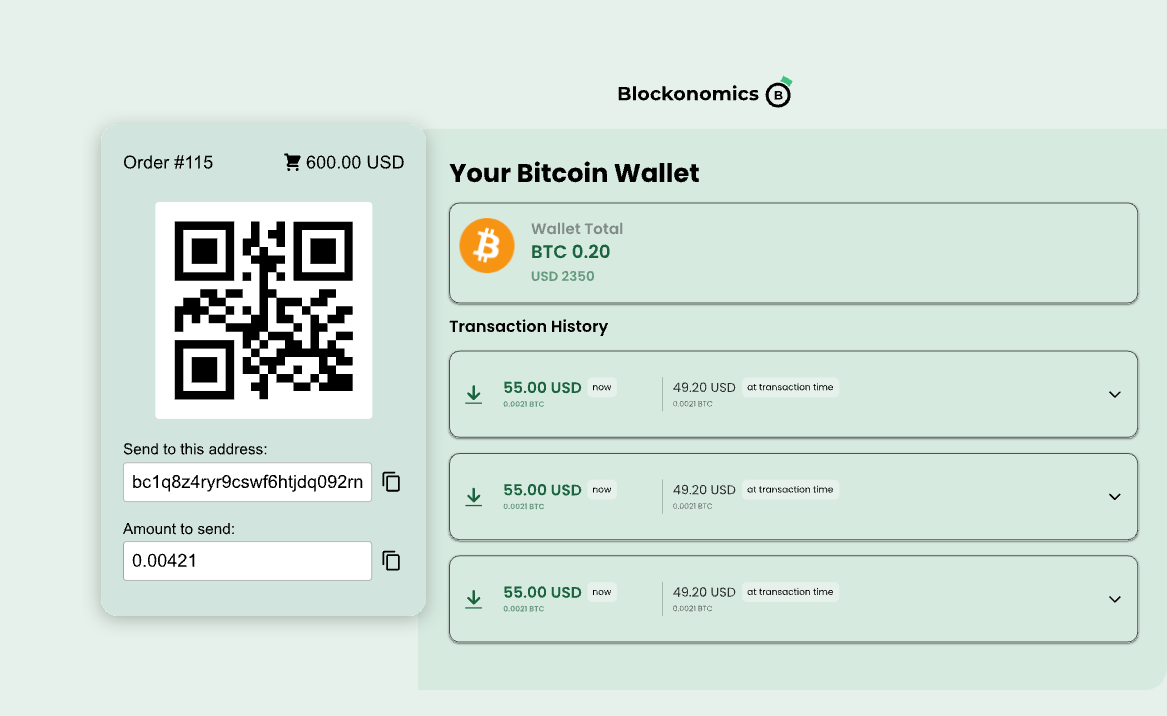
Payments are sent straight from the customer’s wallet to the merchant’s wallet, ensuring full ownership of funds and eliminating third-party custody risk. The plugin supports Hardware wallets integration, such as Trezor and Ledger, making it suitable for secure long-term storage.
The plugin also includes SegWit support, which helps reduce Bitcoin transaction fees by optimizing how transaction data is stored on the blockchain. By using SegWit-enabled addresses, merchants can benefit from lower network fees and more efficient on-chain transactions, especially during periods of high network congestion.

MyCryptoCheckout is a non-custodial WooCommerce crypto payment plugin built for merchants who want to accept a large variety of cryptocurrencies without paying per-transaction gateway fees. It supports over 200 cryptocurrencies and enables peer-to-peer payments, where funds are sent directly from the customer’s wallet to the merchant’s wallet without intermediaries.

The plugin integrates seamlessly with WooCommerce and Easy Digital Downloads, making it suitable for both physical and digital product stores. While the core payment processing does not include transaction fees, advanced features such as fiat conversion and extended functionality are available through paid plans.
MyCryptoCheckout does not require merchants or customers to share personal information, maintaining a privacy-focused payment experience.

DePay is a decentralized WooCommerce payment solution designed for Web3 native merchants who want to directly accept crypto payment wallet-to-wallet without intermediaries.

It enables customers to pay directly from their Web3 wallets, with funds settling instantly to the merchant’s wallet. No third party holds or processes the funds, making the system fully decentralized.
The plugin supports over 100 tokens across multiple blockchains, including EVM-compatible networks and Solana. DePay offers a one-click checkout experience and includes built-in token conversion, allowing customers to pay with one token while merchants receive another. The checkout flow is optimized for both desktop and mobile Web3 wallets.

Coinbase Commerce is a custodial WooCommerce payment solution designed for merchants who want a simple, trusted way to accept cryptocurrencies. Being backed by Coinbase, it leverages the exchange’s security infrastructure and regulatory compliance, which can reassure merchants and customers alike.

The plugin supports multiple major cryptocurrencies, including Bitcoin (BTC), Ethereum (ETH), Litecoin (LTC), and USD Coin (USDC), allowing merchants to accept payments in a familiar and widely used set of assets. It provides a user-friendly dashboard where merchants can manage payments, create invoices, track transactions, and monitor settlement status. Integration with WooCommerce is straightforward, requiring minimal technical setup, making it ideal for those who prioritize ease of use over full self-custody.
However, as a custodial platform, merchants do not have direct control over private keys, and Lightning Network support is not documented for this plugin.

CryptoWoo is another non-custodial WooCommerce plugin option designed for merchants who prioritize privacy, flexibility, and control over their crypto payments. It supports multiple cryptocurrencies and can integrate with HD (Hierarchical Deterministic) wallets, also known as hardware devices (cold wallets), giving merchants full ownership of their funds.

Being non-custodial, the plugin is privacy-focused, ensuring that customer data is not shared or stored unnecessarily. It also supports multisite WooCommerce setups and offers optional zero-confirmation payments for faster checkout experiences.
Its modular design allows for extensive customization through add-ons, enabling merchants to tailor the checkout experience, supported coins, and payment flows to their specific needs.
Some advanced features, especially for Ethereum payments or other altcoins, may require additional premium add-ons.

NOWPayments is a non‑custodial crypto payment gateway that allows merchants to accept crypto payments on their WooCommerce stores from a very large variety of 300+ digital assets. It also offers features like automatic coin conversion, global payment acceptance, and direct payouts to your wallet, while operating in more than 175 countries worldwide.
NOWPayments also has features such as auto withdrawals, optional fiat conversion, 24/7 support with personalized account managers, depending on the plan purchased.
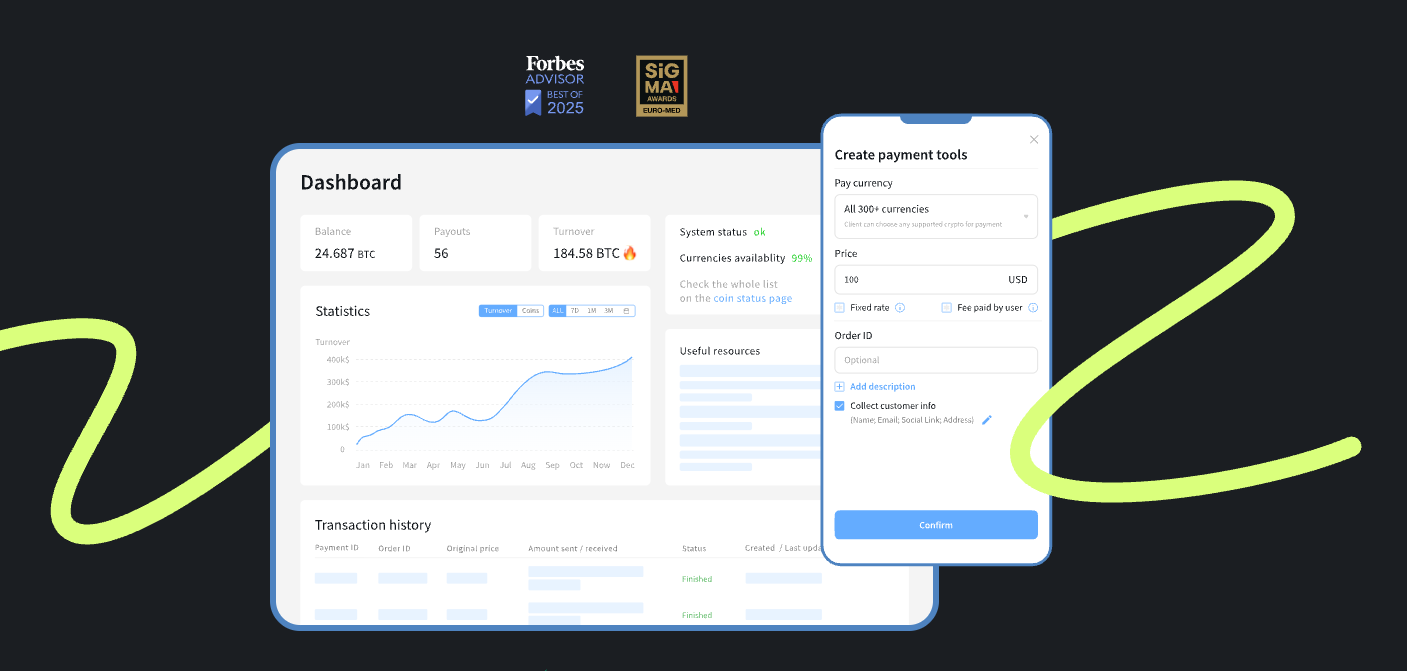
In addition to online store support, NOWPayments provides tools and QR‑based flows that can be used for physical store acceptance, allowing merchants to process in‑person crypto payments using mobile scanners or point‑of‑sale interfaces.
KYC may be triggered for fiat conversion or higher‑volume activity, but for crypto‑only payments, businesses generally retain non‑custodial control.

Founded in 2011, BitPay is one of the oldest and most established crypto payment gateways, trusted by many large merchants for accepting crypto payment through WooCommerce. It is designed for merchants who need enterprise-grade compliance and robust fund protection. The platform enforces KYC, AML, and transaction monitoring controls, which help businesses mitigate fraud and regulatory risks.

BitPay supports over 100 cryptocurrencies for customer payment options, including Bitcoin (BTC), Ethereum (ETH), Bitcoin Cash (BCH), Litecoin (LTC), Ripple (XRP), Dogecoin (DOGE), and stablecoins like USDC, GUSD, BUSD, and PAX.
Later, merchants can settle funds in their crypto wallets or receive payouts in multiple local fiat currencies such as USD, EUR, GBP, AUD, CAD, ZAR, and CHF, across a wide range of countries.
Lightning Network payments are also supported for faster Bitcoin transactions.

Helio Pay is a multi‑chain crypto payment gateway for WooCommerce that lets merchants accept a wide variety of digital assets directly through their store. It supports hundreds of digital currencies, including USDC, Solana (SOL), Bitcoin (BTC), Ethereum (ETH), and other tokens across chains like Solana, Ethereum, and Polygon, with real-time payouts directly to your crypto wallet.
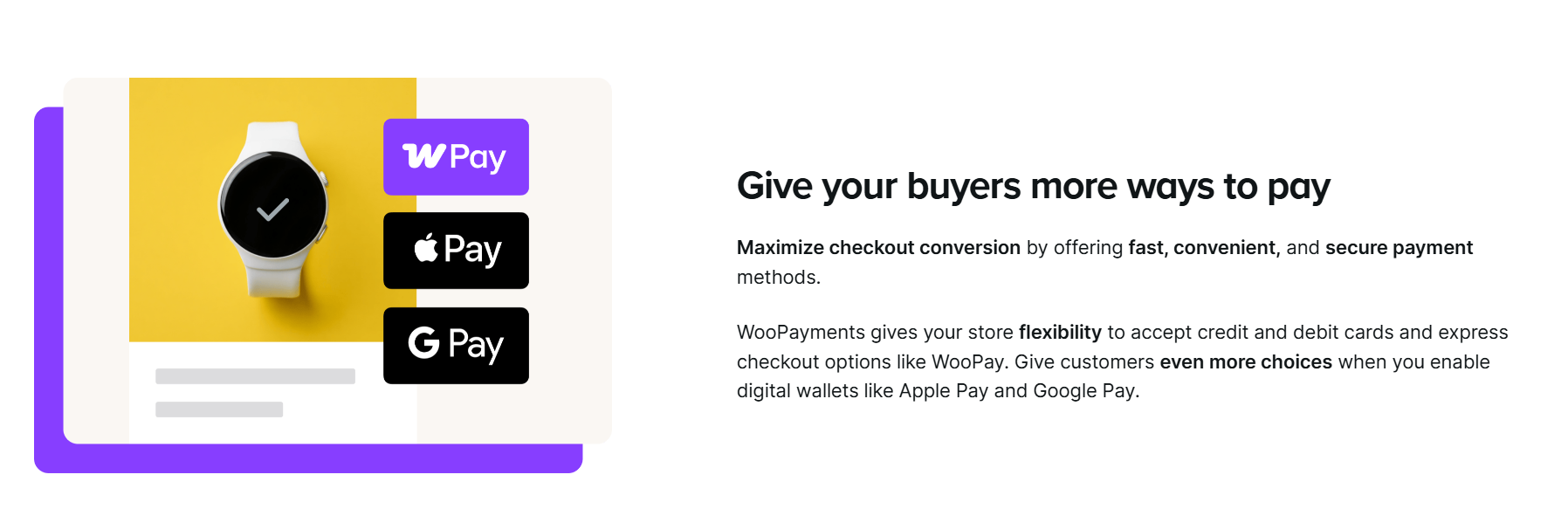
The plugin offers an easy-to-use dashboard where merchants can track orders, manage payouts, and configure payment settings without complex setup. Helio Pay also provides features like auto-currency conversion at checkout, in-store payment experiences for physical and online stores, and the elimination of chargebacks.
While the dashboard is user-friendly and setup is quick, Helio Pay is a relatively newer platform and does not currently offer native Lightning Network support.

ABC Crypto Checkout is a WooCommerce crypto payment plugin powered by Payerurl that allows merchants to accept cryptocurrency payments directly to their wallets without intermediaries. The plugin displays prices in 169+ fiat currencies (such as USD, CAD, GBP, EUR, INR, and more) and calculates the equivalent amount in crypto at checkout using real‑time exchange rates, giving customers clarity in their local currency before they pay.

Customers can choose from supported receiving networks like Bitcoin (BTC), Ethereum (ETH), USDT (TRC20/ERC20), USDC (ERC20), TON, and other tokens in Binance Pay funding wallets.
Binance Pay integration via QR codes allows seamless checkouts where customers scan and pay directly without leaving your store.
The plugin is open-source, allowing full transparency and flexibility, and does not require mandatory ID verification for basic accounts, making it privacy-friendly for both merchants and customers.
Accepting cryptocurrency payments on WooCommerce is no longer an experimental move. It is a strategic decision driven by growing global adoption, lower transaction costs, and improved payment security.
Cryptocurrency usage continues to expand worldwide, with over 300 million crypto holders globally, and broader estimates placing total adoption at 560+ million users. This growing user base represents a new segment of digitally native customers who actively prefer paying with crypto.
WooCommerce, one of the most widely used e-commerce platforms, with approximately 4.5 to 6.2 million online stores globally, can help merchants integrate crypto payments and tap into global demand without changing their existing store infrastructure.

Traditional card processors typically charge 3% to 4% per transaction, along with additional cross-border and conversion fees. In contrast, WooCommerce can help merchants retain more revenue on every sale with roughly 1% charges by most crypto payment gateways.
In addition, crypto transactions are irreversible by design, which entirely eliminates chargeback risks and significantly reduces payment fraud, a major pain point for online merchants dealing with card disputes.
Cryptocurrencies also enable borderless payments without the need for currency conversion. Merchants can accept payments from international customers instantly, without worrying about exchange rates or regional payment restrictions.
Crypto payments are not just about holding assets. Global crypto spending is projected to reach $39 billion by 2026, indicating increasing real-world usage across e-commerce, services, and digital products.
When choosing a crypto payment plugin for WooCommerce, understanding the difference between custodial and non-custodial models is essential. This choice has direct implications for fund handling, security ownership, compliance obligations, and overall operational control.
In a custodial model, the payment service provider temporarily holds customer funds on the merchant’s behalf. Platforms such as BitPay, CoinGate, and Coinbase operate under this structure.
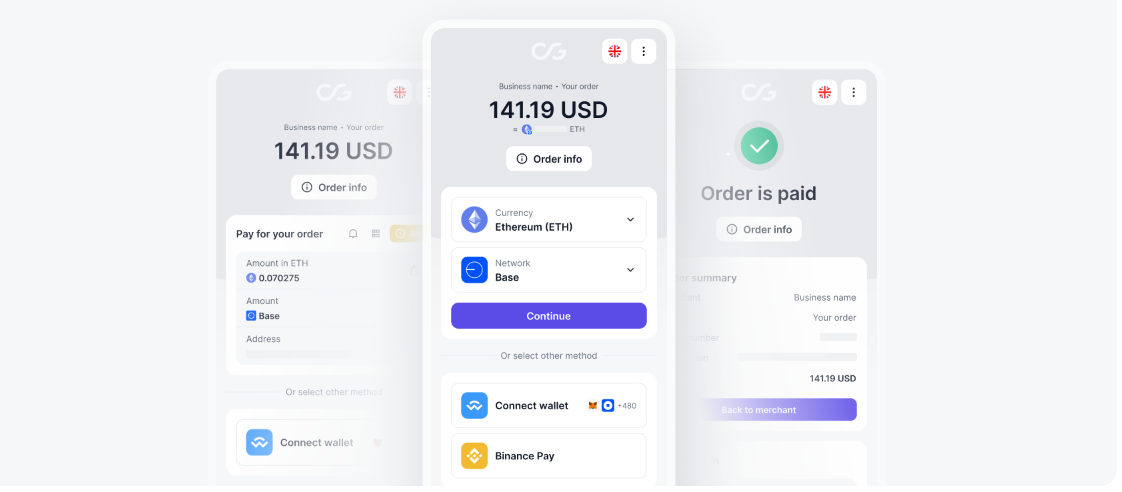
These crypto payment gateways manage wallets, payment processing, and often offer automatic fiat conversion and settlements. While their setup is convenient and beginner-friendly, it usually comes with mandatory KYC requirements, reliance on third-party custody, and withdrawal limits or delays depending on compliance rules.
A non-custodial model allows merchants to retain full control over their funds at all times.
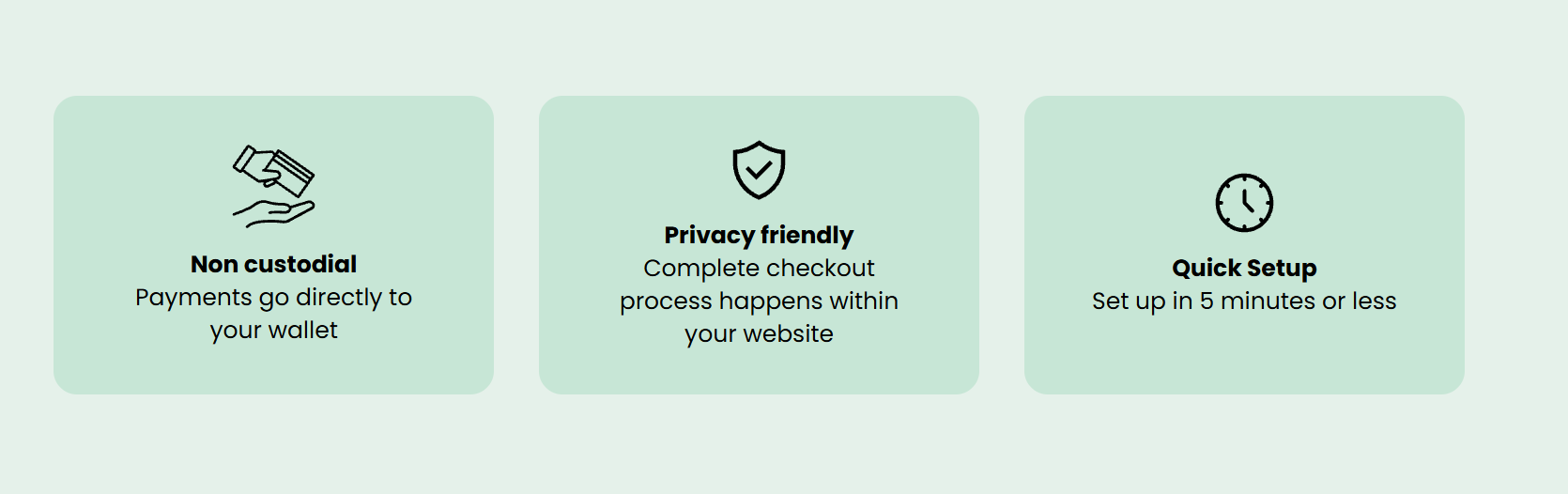
Solutions like BTCPay Server and Blockonomics facilitate direct wallet-to-wallet payments, where crypto moves straight from the customer’s wallet to the merchant’s wallet without intermediaries holding funds.
This approach minimizes counterparty risk, avoids custody-related restrictions, and often eliminates forced KYC, and merchants remain responsible for managing their own wallets and security.
From a compliance perspective, custodial providers typically enforce identity verification, transaction monitoring, and regulatory controls, making them suitable for businesses that need structured compliance or fiat settlements. Non-custodial setups generally offer greater privacy and autonomy but place compliance responsibility entirely on the merchant.
Security considerations also differ significantly. Custodial platforms invest heavily in infrastructure security, but they introduce third-party risk and potential account freezes. Non-custodial systems reduce external risk but require merchants to secure private keys, backups, and wallet access independently.
However, both solutions can enable crypto settlements through any plugin, including the WooCommerce Bitcoin plugin, but choosing between the two depends on business needs.
Custodial solutions are ideal for merchants seeking simplicity, fiat payouts, and regulatory alignment. Non-custodial options are better suited for businesses that prioritize self-custody, lower fees, censorship resistance, and direct blockchain payments without intermediaries.
The Lightning Network is a second-layer scaling solution built on top of the Bitcoin blockchain. It enables fast, low-cost transactions by processing payments off-chain while still relying on Bitcoin’s base layer for security.
Instead of waiting for on-chain confirmations, Lightning payments are settled instantly through payment channels, making them far more suitable for everyday commerce.
For WooCommerce merchants, the benefits of the Lightning Network are especially beneficial.
Transactions are confirmed almost instantly, which removes checkout delays and improves the customer experience. Fees are typically near zero compared to standard on-chain Bitcoin transactions, making Lightning ideal for small-ticket purchases, digital goods, subscriptions, and high-frequency payments where traditional fees would be uneconomical.
Several WooCommerce Bitcoin plugins support Lightning payments.
Crypto payment gateways like BTCPay Server offer native Lightning Network integration, while providers such as CoinGate and OpenNode support Lightning alongside on-chain Bitcoin payments.
Choosing a WooCommerce crypto plugin with Lightning support allows merchants to offer customers faster and cheaper payment options without replacing existing infrastructure.
Lightning makes the most sense for merchants who process frequent transactions, sell low-margin or digital products, or serve a global customer base that expects instant checkout experiences and BTC payment options.
It is particularly useful for microtransactions and cross-border payments where speed and cost efficiency are critical. For high-value, infrequent payments, standard on-chain Bitcoin transactions may still be sufficient, but Lightning provides a strong advantage for everyday WooCommerce businesses.
Confirmo is a WooCommerce Bitcoin plugin that charges a 0.8% transaction fee and supports Lightning Network payments via Bitcoin for faster, low-cost BTC transactions.
It also allows merchants to accept multiple other cryptocurrencies, including Ethereum (ETH), Tether (USDT), USD Coin (USDC), Solana (SOL), Polygon (POL), Litecoin (LTC), and Tron (TRX), making it a flexible option for stores that want a mix of crypto options.
CryptoPay is a license-based plugin designed for WooCommerce stores looking to accept crypto payments with zero transaction fees. Its paid license ensures regular updates and support, which makes it suitable for merchants who want a reliable, fee-free solution.
Plisio is a WooCommerce crypto payment plugin that charges a 0.5% fee and supports over 20 different cryptocurrencies, including Bitcoin, Ethereum, Litecoin, and stablecoins. It provides easy integration with WooCommerce and offers features like invoice generation and payment tracking.
GoURL is a WordPress-native, open-source plugin that allows merchants to accept direct crypto payments without relying on third-party custodial services. Its native integration makes it simple to use, and its open-source nature allows for customization and transparency.
Boxcoin is a premium WooCommerce plugin available on CodeCanyon, offering advanced features and customization for crypto payments. Merchants can use it to accept multiple cryptocurrencies and tailor the checkout experience according to their store’s needs.
Each WooCommerce crypto payment plugin differs in terms of fees, custody model, supported coins, and compliance requirements, and directly impacts how smoothly your store runs. Firstly, understand your business size, target customers, and technical comfort level, which will help you accept crypto payments on WooCommerce in the long term.
| If You Need… | Choose… |
| Fastest payments | Coinsnap or BTCPay (Lightning) |
| Maximum control | BTCPay Server (self-hosted) |
| Most cryptocurrencies | NOWPayments (300+) or MyCryptoCheckout (200+) |
| Fiat settlement | CoinGate or BitPay |
| Web3/DeFi focus | DePay or Helio Pay |
| Zero fees | BTCPay Server or MyCryptoCheckout |
| Enterprise compliance | BitPay |
| Easy Coinbase setup | Coinbase Commerce |
| Privacy-first | Blockonomics or BTCPay |
Installing a crypto payment plugin on WooCommerce generally follows the same workflow across providers. The steps below apply to most WooCommerce crypto payment gateways.
First, install the plugin by going to WordPress Dashboard → Plugins → Add New.

If the plugin is listed on WordPress.org, you can search, install, and activate it directly. For premium or self-hosted plugins, choose the manual upload option, upload the ZIP file provided by the gateway, and activate it once installation is complete.
After activation, open WooCommerce → Settings → Payments, select the crypto payment method, and proceed with API configuration.
Most providers require you to create an account on their platform and generate an API key, API secret, or access token from their dashboard. These credentials securely connect your WooCommerce store with the payment gateway, enabling payment creation, transaction tracking, and order status updates.
While configuring the API, make sure the environment mode (test/sandbox or live/production) matches the API keys being used, as incorrect pairing can lead to failed or unrecorded payments.
Some plugins also support additional security measures such as IP whitelisting, signature verification, or webhook secret keys, which should be enabled where available. After saving the credentials, run a connection test or complete a small test transaction to confirm the API is working correctly.
Next, configure webhooks or callbacks, which allow the payment gateway to notify your WooCommerce store when a transaction is confirmed on the blockchain.
Proper webhook setup ensures orders automatically move from pending to processing or completed once payment is received, without manual intervention.
Before accepting real payments, always test transactions using sandbox mode or by sending a small real payment amount. This helps verify checkout flow, payment confirmation, webhook responses, and fund settlement.
Once these steps are complete, you’re ready to accept crypto payments on your WooCommerce store securely and reliably!
Product prices should be displayed in fiat currency (USD, INR, EUR, etc.) for clarity. At checkout, the WooCommerce crypto payment plugin automatically calculates the equivalent crypto amount using live exchange rates from its pricing source (exchange APIs or rate providers).
This approach minimizes customer confusion and helps merchants protect margins from sudden crypto price movements. Crypto-only pricing is usually suitable only for Web3-native or crypto-focused audiences.
Choose plugins that support real-time price locking, instant settlement, or stablecoin payments such as USDT or USDC. This reduces the risk of value changes between order creation and blockchain confirmation, especially during periods of high market volatility.
Every crypto transaction should be recorded with the fiat value at the time of payment, transaction hash, timestamp, and wallet address.
Depending on local regulations, crypto payments may be classified as taxable income or capital receipts, so exporting transaction reports or integrating crypto-friendly accounting tools is recommended.
A clear explanation of which cryptocurrencies and networks are supported, expected confirmation times, and payment steps at checkout is essential for your customers.
This prevents failed payments caused by incorrect network selection or underpayment and reduces customer support issues.
Define refund terms clearly before accepting crypto. Since blockchain transactions are irreversible, refunds are typically issued in crypto, either for the exact amount received or the fiat-equivalent value at the time of refund, depending on store policy.
If you can handle funds independently or know about crypto payment handling, use non-custodial wallets whenever possible. Other crucial steps to execute are enabling two-factor authentication on dashboards, securely storing API keys, and keeping WordPress, WooCommerce, and plugins up to date. For higher transaction volumes, hardware wallets or multi signature wallets provide stronger fund protection and eliminate online data breach exposure.
Analyzing a WooCommerce crypto payment plugin is ultimately about aligning payment infrastructure with how you operate and how your customers prefer to pay. Factors like custody control, settlement speed, supported assets, and compliance requirements should guide your decision more than popularity or feature count.
For instance, if you want full control and self-custody with no intermediaries, non-custodial solutions like BTCPay Server or Coinsnap are ideal. Merchants looking for multi-crypto support with optional fiat settlement may prefer custodial platforms like CoinGate or BitPay.
For Web3-native stores and DeFi-focused audiences, wallet-to-wallet solutions such as DePay or Helio Pay offer seamless on-chain checkout experiences.
Crypto commerce on WooCommerce is moving toward faster settlements, wider stablecoins adoption, Lightning and Layer-2 scalability, and increased demand for non-custodial payment options. As regulations mature, merchants will see better tooling, improved UX, and broader customer adoption.
Till then, accept crypto payments with a specific WooCommerce Bitcoin plugin or other general options, and enable the right setup to reduce fees, expand global reach, and future-proof your online store.


 2M+ Monthly Readers
 50k+ Articles
 Claim Bonus