CoinGape has been covering cryptocurrency and blockchain markets since 2017. Our editorial team evaluates projects and platforms using structured review frameworks focused on transparency, utility, and risk assessment. You can explore our review methodologies to see how we assess and rate different categories. We maintain clear editorial standards and disclose advertising or affiliate relationships where applicable.
If you’ve searched for “Coinbase Pro” and found yourself redirected to a different interface, you’re not alone. Thousands of traders have wondered what happened to the platform they once relied on for lower fees and advanced trading tools.
Here’s the quick answer: Coinbase Pro no longer exists as a separate platform. On November 9, 2023, Coinbase officially shut down Coinbase Pro and migrated all users to Coinbase Advanced Trade, an integrated trading experience within the main Coinbase platform.
This comprehensive guide covers everything you need to know about the transition, how to use Coinbase Advanced Trade effectively, current fee structures, and whether this unified platform meets the needs of both casual investors and active traders.
Coinbase Pro, originally launched as GDAX (Global Digital Asset Exchange) in 2016, was Coinbase’s trading platform designed for more experienced cryptocurrency traders. While the standard Coinbase interface focused on simplicity i.e., making it easy for beginners to buy their first Bitcoin, Coinbase Pro catered to users who wanted more control over their trades.
Lower Fees: The most compelling reason traders used Coinbase Pro was its maker-taker fee model, which was significantly cheaper than the standard Coinbase interface. While regular Coinbase charged fees up to 3.99% for credit card purchases and 1.49% for bank transfers, Coinbase Pro offered fees starting at just 0.6% for makers and 1.20% for takers, with discounts for higher trading volumes.
Advanced Order Types: Unlike the basic buy/sell interface on regular Coinbase, Pro allowed traders to place:
Real-time Charts and Order Books: Traders could access professional-grade charting tools, view the order book depth, and analyze price movements before executing trades.
API Access: Developers and algorithmic traders could connect trading bots and third-party applications directly to their accounts through Coinbase Pro’s robust API. For years, the common advice among crypto enthusiasts was simple: use regular Coinbase to set up your account, then immediately switch to Coinbase Pro to save on fees. The platforms shared the same login credentials, making transfers between them instant and free.
According to Coinbase’s official announcement, the consolidation aimed to:
If you were a Coinbase Pro user, your transition was automatic:
The transition meant you no longer needed to transfer funds between Coinbase and Pro. Everything now exists in one place.
To clarify the current landscape, here’s how the interfaces compare:
| Feature | Coinbase (Simple) | Coinbase Pro (Discontinued) | Coinbase Advanced Trade |
| Status | Active | Shut down Nov 2023 | Active |
| Target User | Beginners | Active traders | Active traders |
| Order Types | Market only | Market, Limit, Stop | Market, Limit, Stop-Limit |
| Charting | Basic | Advanced | TradingView integration |
| Trading Pairs | 200+ | 250+ | 550+ |
| Fee Model | Spread + fee | Maker-taker | Maker-taker |
| Staking | Yes | No (separate) | Yes (integrated) |
| API Access | Limited | Full | Full |
| Mobile App | Yes | Separate app | Within main app |
Coinbase Simple Mode is ideal for:
Coinbase Advanced Trade is recommended for:
The good news is you don’t have to choose permanently. You can switch between Simple and Advanced modes within the same Coinbase account at any time.
Coinbase Advanced Trade inherits all the capabilities of the former Coinbase Pro while adding new features. Here’s a comprehensive breakdown:
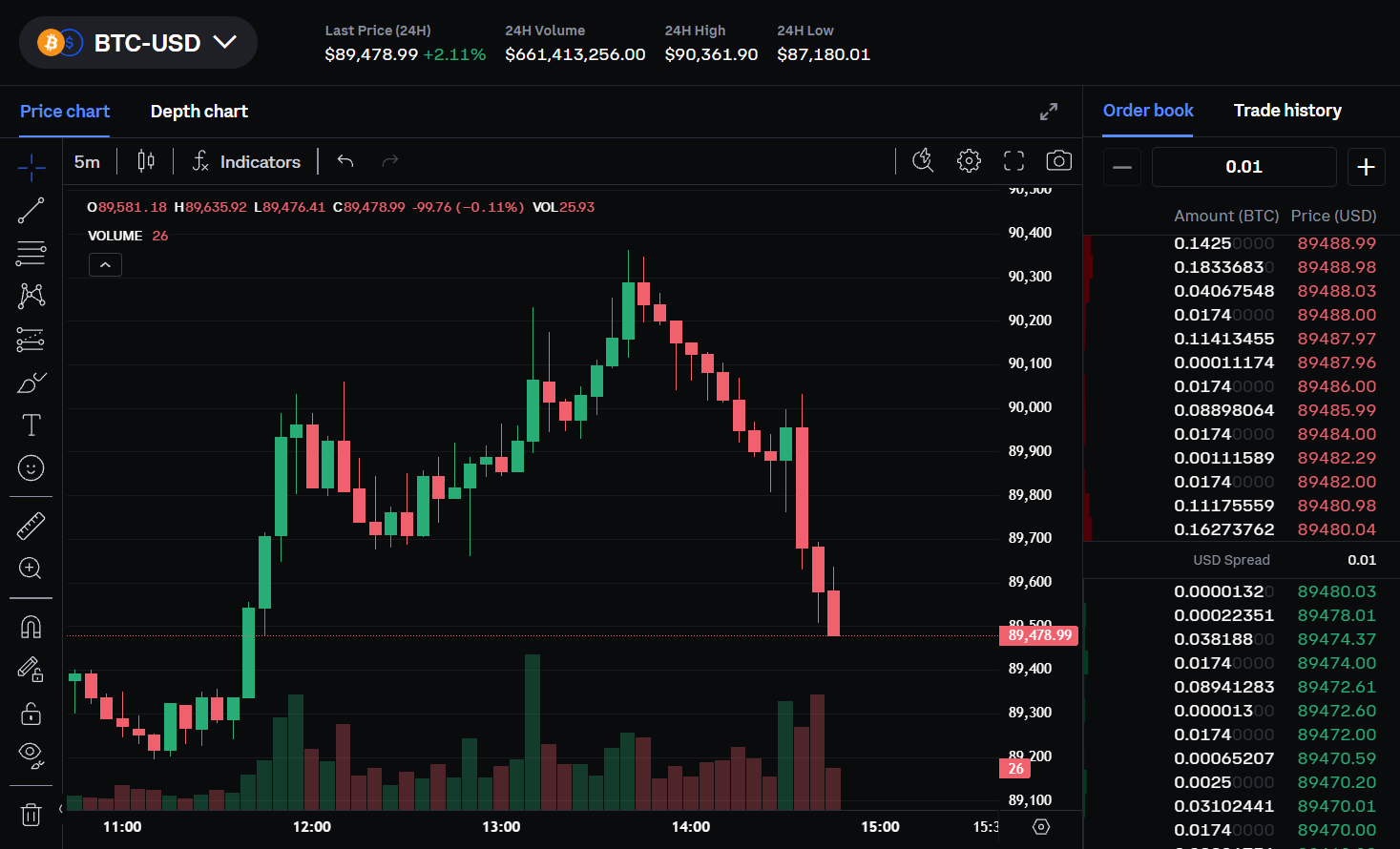
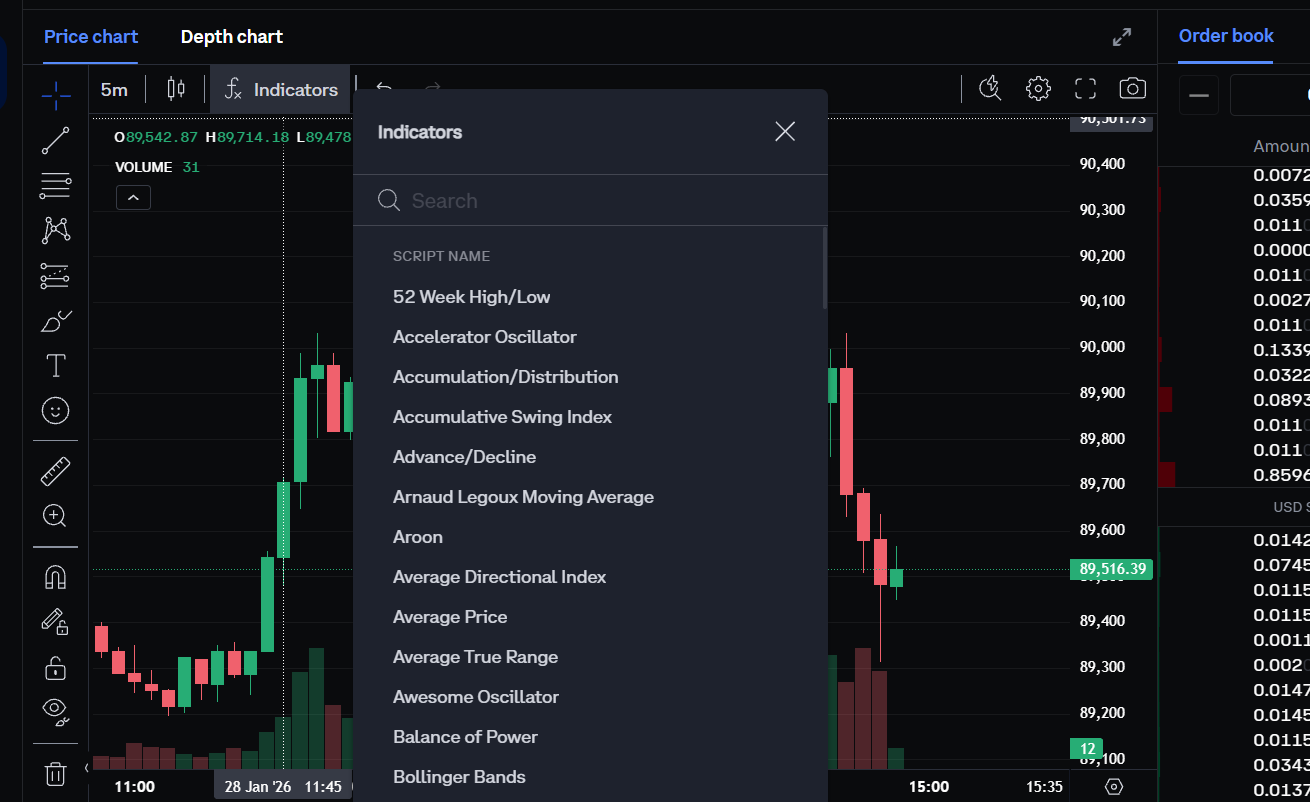
The standout improvement in Advanced Trade is professional-grade charting powered by TradingView, one of the most popular charting platforms among traders worldwide. This integration provides:
Over 50 Technical Indicators, including:
Drawing Tools for:
Multiple Timeframes: View price action from 1-minute candles to monthly charts, helping you analyze both short-term trades and long-term trends.
Market Orders: Execute immediately at the best available price. Use these when you want to buy or sell quickly and don’t mind paying the current market price.
Limit Orders: Specify the exact price at which you want to buy or sell. Your order remains on the book until the market reaches your price (or you cancel it). Limit orders that add liquidity to the market pay lower “maker” fees.
Stop-limit Orders: Combine stop and limit functionality. Set a “stop price” that triggers the order, then specify a “limit price” for execution. This is useful for:
Coinbase Advanced Trade offers access to over 550 trading pairs, including:
The order book displays all open buy and sell orders at various price levels. Understanding it helps you:
The depth chart visualizes the order book graphically:
For eligible users (availability varies by region), Coinbase Advanced now offers perpetual futures trading contracts with leverage. This allows traders to:
Understanding fees is crucial for active traders. Coinbase Advanced uses a maker-taker fees model based on your trailing 30-day trading volume.
| 30-Day Volume (USD) | Taker Fee | Maker Fee |
| $0 – $1,000 | 1.20% | 0.60% |
| $1,000 – $10,000 | 0.75% | 0.35% |
| $10,000 – $50,000 | 0.40% | 0.25% |
| $50,000 – $100,000 | 0.25% | 0.15% |
| $100,000 – $500,000 | 0.20% | 0.10% |
| $500,000 – $1,000,000 | 0.18% | 0.08% |
| $1,000,000+ | Progressive discounts down to 0.05%/0% |
Stable Pairs: Trading between stablecoins (like USDT/USDC) or between wrapped assets (WBTC/BTC) offers 0% maker fees and reduced taker fees (0.10%–0.45% based on tier).
No Subscription Fees: Unlike some competitors, Coinbase Advanced has no monthly subscription fee or minimum portfolio requirements.
High-volume traders who use other exchanges can apply for Coinbase’s fee upgrade program. By providing proof of trading volume (over $500k monthly) on competing platforms, you may qualify for lower fee tiers immediately rather than building up volume on Coinbase first.
Standard Coinbase charges a spread (typically around 0.50%) plus additional fees ranging from $0.99 to $2.99 for small purchases, or up to 1.49% for larger transactions. For a $1000 purchase:
| Platform | Approximate Fee |
| Coinbase Simple (bank) | ~$15 (1.5%) |
| Coinbase Simple (debit) | ~$40 (4%) |
| Advanced Trade (taker) | ~$12 (1.2%) |
| Advanced Trade (maker) | ~$6 (0.6%) |
For active traders making multiple transactions per month, the savings from using Advanced Trade add up significantly.
On Web:
On Mobile:
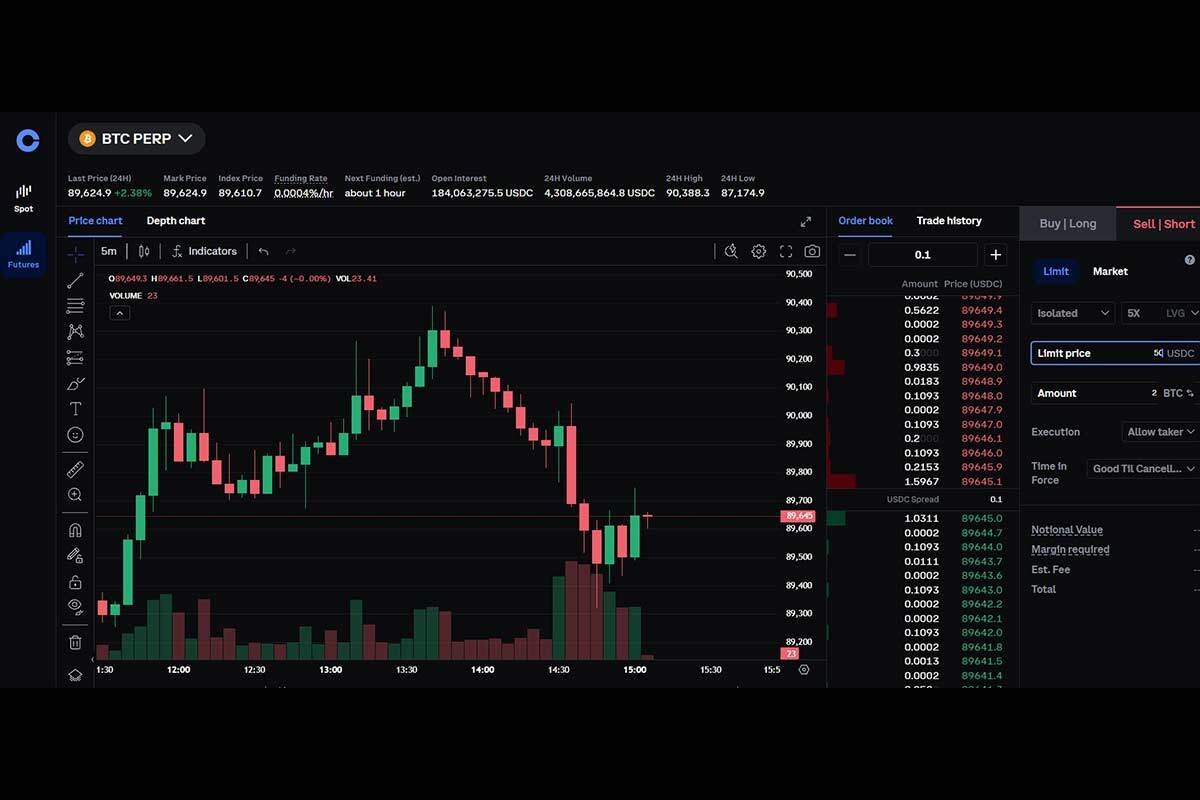
The Advanced Trade interface displays several key components:
Left Panel:
Center:
Right Panel:
Example: Buying Bitcoin with a Limit Order
Your limit order will appear in “Open Orders” and execute automatically when (and if) the price reaches your target.
Stop-limit orders are useful for risk management. Here’s how to set one:
This creates an automated sell order that activates only if the price falls to your stop price.
The depth chart shows cumulative orders to each price level:
Large order clusters (“whales”) can significantly impact price if they execute
If you previously used the Coinbase Pro API, important changes apply:
If your trading bot stopped working after the Pro shutdown:
The new API offers expanded functionality, including access to perpetual futures endpoints for eligible accounts.
Staking and Earning on Coinbase Advanced
One advantage of the unified platform is integrated staking – something Coinbase pro users previously had to access through the main Coinbase interface.
Available Staking Rewards
| Asset | Approximate APY |
|---|---|
| Ethereum (ETH) | ~4.5% |
| Solana (SOL) | ~5-7% |
| Cosmos (ATOM) | ~5-15% |
| Cardano (ADA) | ~2-3% |
| USDC | Variable promotional rates |
Coinbase periodically offers promotional rewards for USDC holders. Current programs may
include:
– Boosted USDC rewards for maintaining perpetual futures positions
– Standard USDC yield for holding balances
Rates change frequently – check the Portfolio tab in your account for current offers.
The transition from Coinbase Pro to Coinbase Advanced Trade represents Coinbase’s push toward a unified trading experience. While some traders initially resisted the change, Advanced Trade delivers everything Pro offered – and adds TradingView charting, integrated staking, and a more streamlined interface.
For active cryptocurrency traders, using Advanced Trade instead of the simple Coinbase interface remains the smart choice. The maker-taker fee model saves significant money on frequent trades, while advanced order types and professional charting tools enable more sophisticated trading strategies.
Whether you’re a former Coinbase Pro user adjusting to the new interface or a newcomer deciding between Simple and Advanced modes, the key takeaway is this: if you trade more than occasionally, Advanced Trade’s lower fees and enhanced features are worth the slightly steeper learning curve.


 2M+ Monthly Readers
 50k+ Articles