



Quick Verdict
Moonbot is a serious pick for traders who want faster execution and more control over their trades. With it featuring a usable free tier and a perpetual PRO license, it is a strong option for most scalpers. However, the trade-off lies in the form of a steep learning curve, the terminal exposes 300+ parameters, so getting the most out of it takes time. It also runs natively on Windows only; macOS users need a virtual machine such as Parallels.
- Supports 6 centralized exchanges and Hyperliquid DEX.
- Features over 20 strategies
- Features a non-custodial key model, keeping keys local.
- Real trading accessible through the free mode
- Features a steep learning curve
- Free tier only supports USD/stablecoin pairs
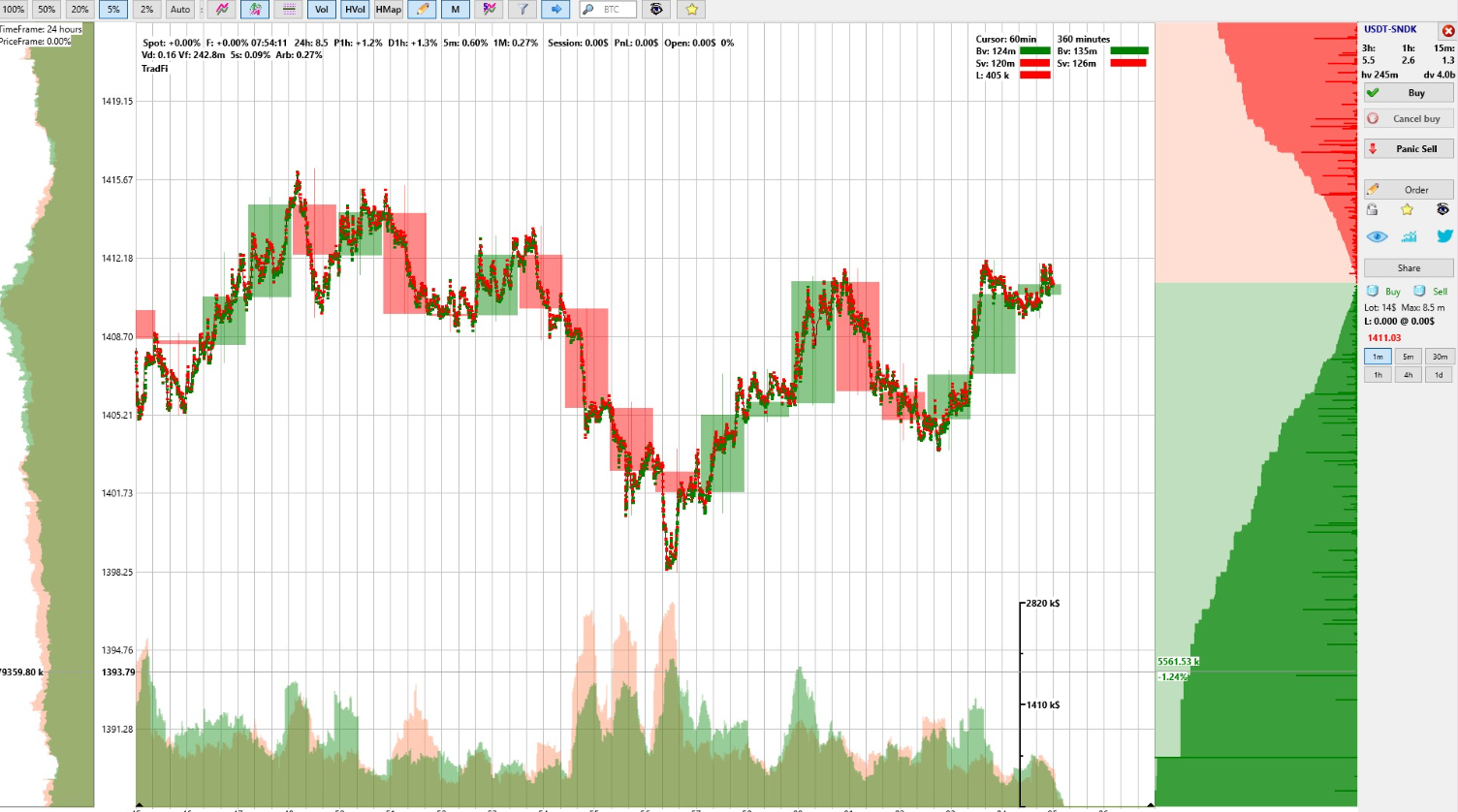
Moonbot’s tick-level charting sticks out, which makes short spikes remain on the screen and not disappear inside a one-minute candle. With the hybrid mode, which combines candles and ticks, traders used to candle charts can gradually move to tick-based trading.
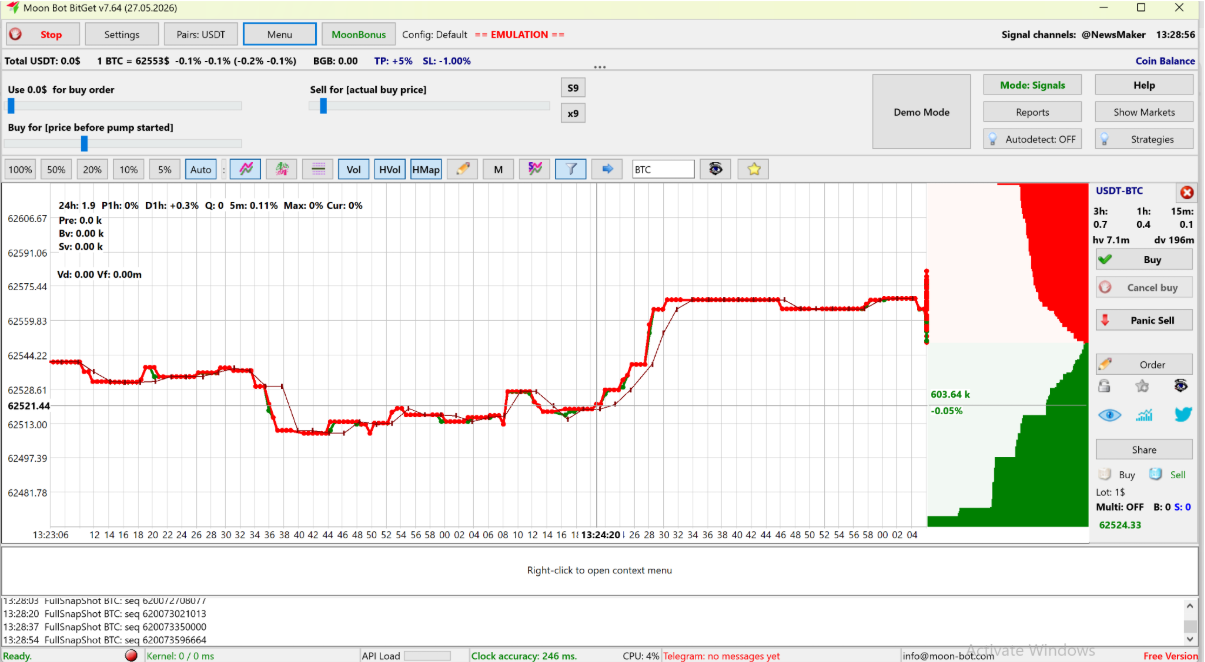
The platform balances the workflow, letting users only pick the market and the entry while handling the repetitive work, ranging from moving orders to auto-placed exits, by itself. The automated systems it provides are flexible. Users can set up a Detect to either fire a trade or to simply get a notification, deciding how much trading to automate.
That said, the settings depth poses a real barrier, which means new setups should first be tested in Demo mode or the emulator. With Telegram controls, users can manage trading when they are away from the workstation. However, in the event of a crash or an update, access to a Windows machine is a must.
Ratings
Moonbot has listed multiple tiers on its website. However, the license is not the only cost of using the platform. While there is a perpetual license that gives users most of the features, some features, such as TradingView webhook, AlgoMod and Arbitrage Prices, still require MoonCredits that can be either earned or bought. Non-PRO users must pay for Moon News, a feature that allows users to manually or automatically trade when the Moonbot terminal receives news items.
What happens when a Moonbot trade goes against you?
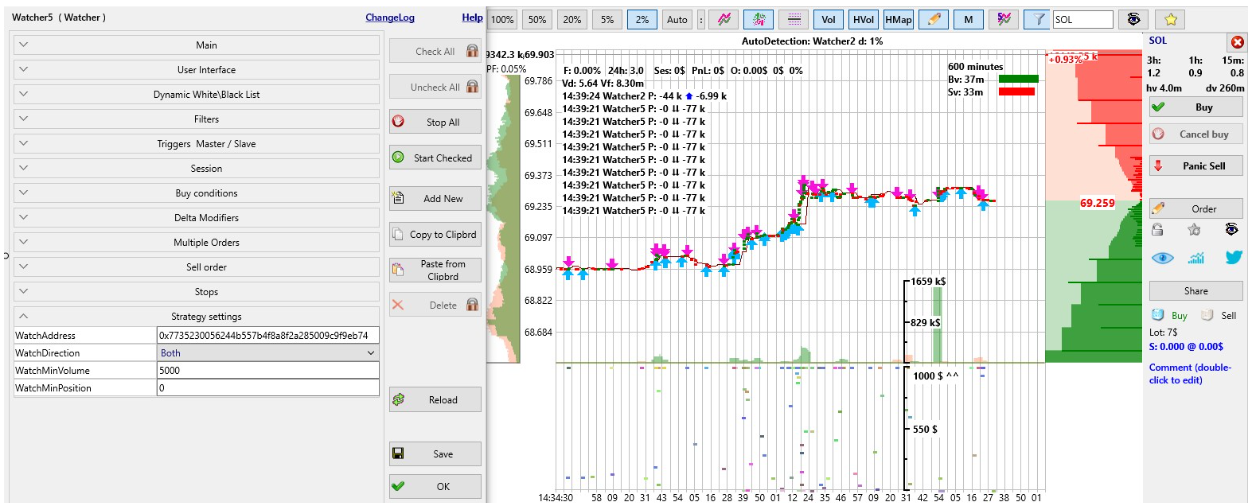
While Moonbot can reportedly react in milliseconds, speed often works both ways. A fast strategy can also lose fast if the market does not behave as the user’s settings expected. A detect may fire a trade on a move that looks like a signal, but isn’t. A short spike may lead to a large, sustained price drop. And when the market is fast, it is possible that an exit order isn’t executed at the expected price. Although Moonbot doesn’t prevent losses, it does host features and settings that traders can use to limit them.
The stop-loss is the core setting that can be applied to all the strategies. Users can set a stop-loss with market exit, closing the position at market price instead of re-placing a limit order. Users can also use the stop-loss delay to hold the stop for a fraction of a second to prevent a panic sell on a random spike.
That said, if the stop-loss spread is too small, the sell order may not fill when the price drop is sharp. According to the Moonbot team, Moonbot allows users to cap each strategy by setting maximum allowable loss, target profit, and number of open positions.
Before using any strategies, however, testing them is a must, which Demo mode allows. It lets users run PRO features on live market data without sending real orders. With backtesting, users can replay historical data.
Other Costs or Charges
One cost Moonbot avoids is a recurring subscription: PRO is a one-time license. Beyond that, though, a few additional charges can apply, and it’s worth knowing them upfront.
Exchange Trading Fees
Exchange trading fees apply to every trade, since they’re charged by the exchange, not by Moonbot. Moonbot’s MoonBonus cashback (via referral links) offsets part of them which matters for scalpers, whose high trade frequency makes fees a real recurring cost.
VPS Costs
If users run Moon Kernel near exchange servers, it means they are going to pay for a VPS themselves.
MoonCredits
MoonCredits are digital credits, giving users access to features that are not covered even by the PRO tier.
Parallels License
If users are running Windows on Mac to run Moonbot, they need virtualisation software such as Parallels Desktop, which is sold as a subscription.
Security, Regulation, and Trust Signals
Now that we have covered the key features and costs associated with Moonbot, it is time to focus on the platform’s security setup and trust signals.
About the Platform and its Team
Moonbot has been in development since 2017. It was created by Mike, who is also listed as the senior developer and the project’s technical lead on the official website. The platform runs MoonAcademy, Moonbot’s training program, under the leadership of Dmitry. Vano is the professional that handles the financial strategy and monetisation on the platform, and Aleksandr Blitz is a project ambassador who has been a Moonbot user since 2019.
The team isn’t a distant back office either. They actively trade alongside community members and stay in direct contact with them day to day.
Did you find this review helpful?
Our Review Methodology
At CoinGape, we take our review methodologies seriously. Our recommendations are based on hands-on testing and objective evaluation criteria, with a clear separation between editorial analysis and commercial relationships.
Each platform included in this guide is reviewed using a consistent framework designed to reflect how the platform performs in real-world business use cases.
1. Hands-On Testing
We create merchant accounts and process real transactions on every gateway we review. This allows us to evaluate onboarding, checkout experience, settlement flow, and overall usability from a business perspective.
2. Fee Verification
All fees are verified directly through official documentation and test transactions. We assess percentage-based fees, fixed charges, conversion costs, and note any hidden or conditional fees where applicable.
3. Security Assessment
We evaluate security features, custody models, compliance certifications, and platform track record. This includes reviewing publicly reported incidents, regulatory positioning, and available security controls.
4. Support Testing
We contact customer support with real queries to assess response times, clarity, and effectiveness across available channels such as email, live chat, or documentation.